


New article
Recently updated
Querying on Data Tags

Who is this article for?Noise analysts who need to filter Query Generator results by Data Tags.
Access to the ANOMS Noise Analyst Workbench is required.
Tag information is stored in dedicated fields in the ANOMS database, allowing you to use tags as search criteria in the Query Generator for both Operations and Noise records.
Understanding the Tags field
The Query Generator includes a Tags field under the Operations relation and another under the Noise relation, so tags can be used as criteria in any query.
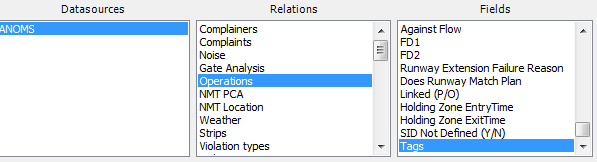
The Tags field under the Operations relation in the Query Generator
Searching for Operations or Noise Events with tags
To search for records using tags:
- Build the date and time criteria parameters as needed.
- Use the In clause to define the tags to match.
- To search on more than one tag, separate the tag names with a comma or semi-colon.
- Use the Not In clause to find records that are not tagged with the entered tags.
Filtering Data Review Tags by status
Data Review Tags have a checkbox indicating whether work or further action remains to be taken, and you can filter on that status directly in the query.
To filter by status:
- Add the tag name as normal.
- After the tag name, add square brackets containing a dash or an x:
- Use the dash form, for example
MyTag[-], to return Data Review Tags that are not completed (outstanding) - Use the x form, for example
MyTag[x], to return Data Review Tags that are closed
- Use the dash form, for example