


New article
Recently updated
Displaying track targets

Who is this article for?Noise analysts who need to display individual radar points on flight tracks.
Access to the ANOMS Noise Analyst Workbench is required.
Targets are the individual radar points that make up a flight track, and displaying them lets you analyse a track point by point.
Viewing track targets
To view track targets:
- Populate the map with flight tracks.
- From the Map Browser, select a track.
- Click Display Targets.
The selected flight track is redrawn with each radar point marked.
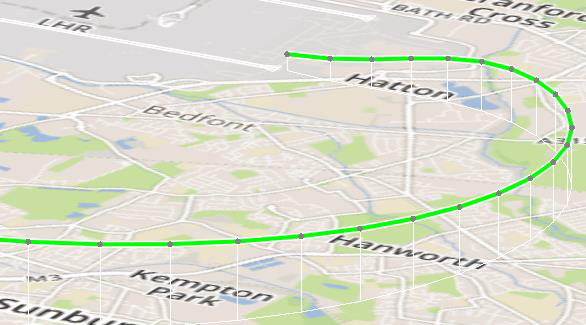
A flight track displayed with individual radar target points marked along the track
Note: You can attach Map Tags to individual target points to display information such as altitude and ground speed.
When targets are displayed, selecting a target point also places cross-hairs on the Track Profile graph.