


New article
Recently updated
Downloading the stock ANOMS export templates

Who is this article for?Noise analysts who need the sample ANOMS export templates and field documents.
Access to the ANOMS Noise Analyst Workbench is required.
ANOMS ships with example export templates and sample field documents that show every mergefield available from each data browser, providing the best starting point for building your own templates.
Populating your local templates folder
To populate your local templates folder:
- From the main menu, select Tools.
- Select Options.
- On the General panel, select Populate the shared templates folder.
- Click Open to view the folder and look at the templates themselves.
The available templates are copied to the client templates folder at a path of the form C:\Program Files (x86)\ANOMS\(version)\Client\data\templates.
Note: Open some of the provided examples to see how the reports have been constructed and formatted, and the kinds of mergefields used, before creating your own template.
Understanding the sample field documents
The templates folder contains a document for each data browser (Operations, Noise, and so on) listing the mergefields available for use in an export. The file names follow the pattern Sample OPERATIONS Letter Merge, Sample NOISE Letter Merge, and so on.
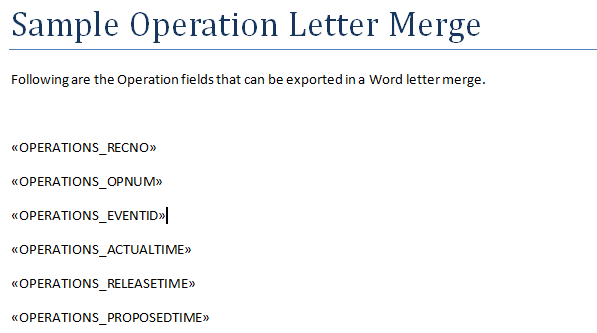
A sample field document, listing the mergefield names available from the Operations browser
Use these samples to determine which fields you want to use in a new or modified export template.