


New article
Recently updated
Saving and running queries

Who is this article for?Noise analysts who want to save queries and rerun them later.
Access to the ANOMS Noise Analyst Workbench is required.
Saving a Load Filtered Data query lets you re-run the same extraction whenever you need it, and share it with other users if you make it public.
Saving a query
To save your query:
- From the Load Filtered Data window, click Save to save a new query, or click Save As to save changes as a new copy of an existing query.
- In the Query Details dialogue box, type the query name in the Name box.
- Type a description in the Description box.
- Set the Visibility option to Public (visible to all users with suitable access) or Private (visible only to you).
- Click OK.
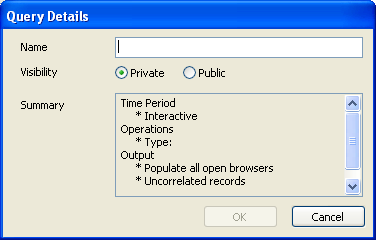
The Query Details dialogue: name the query and set it to Private or Public
Note: Combine a saved query with a Relative or Interactive time period so it stays useful over time (see "Time period options in queries").
Running a saved query
To run a saved query:
- On the browser toolbar, click Open Query.
- From the list in the Load Query dialogue box, select the required query.
- Click Edit to modify any options and then click Execute, or click Run to run the query as saved.
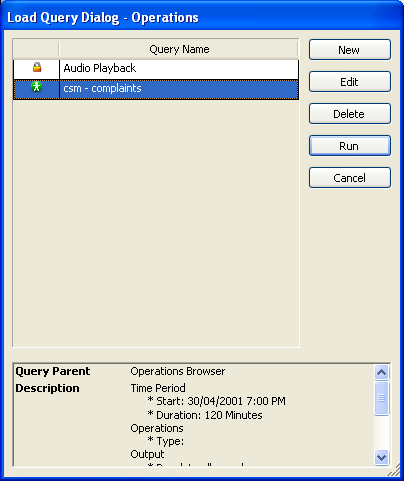
The Load Query dialogue: saved queries with their visibility icons and query summary