


New article
Recently updated
Saving and loading map views

Who is this article for?Noise analysts who want to save and reuse favourite map positions.
Access to the ANOMS Noise Analyst Workbench is required.
You can save your current map position and settings as a named view, then reload it later to quickly return to that configuration.
Saving a map view
To save your current map position:
- On the Map toolbar, click Map View.
- Click Save.
- In the View Name box, type a meaningful name.
- In the Description box, type a description.
- Click OK.
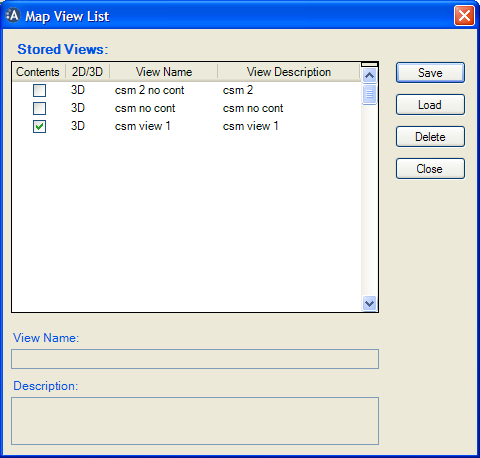
The Map View List dialogue box, showing stored views with Save, Load, and Delete buttons
Loading a stored map view
To load a saved map view:
- On the Map toolbar, click Map View.
- Click the required map view.
- Click Load.