


New article
Recently updated
Logging in to and exiting ANOMS

Who is this article for?Noise analysts who need to start or end an ANOMS session.
An ANOMS user account and access to the Noise Analyst Workbench are required.
This article explains how to log in to ANOMS and exit the application properly at the end of your session.
Logging in to ANOMS
To log in to ANOMS:
- Double-click the ANOMS icon on your desktop.
- Type your User name. In some situations you may need to prefix it with the server name, for example SERVERNAME\username.
- Type your Password.
- Click OK.
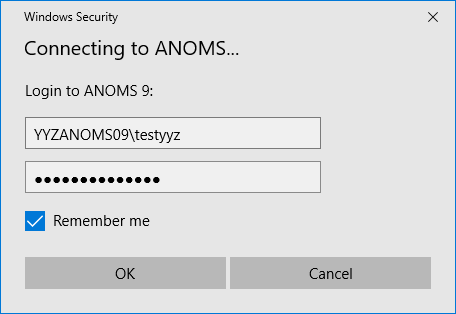
The ANOMS login dialog box, showing a user name prefixed with the server name
Note: You are not prompted for your user name and password when the Use Integrated Authentication setting is enabled in the ANOMS Setting Editor.
The first time you start ANOMS, a message asks you for a default layout name. Click OK to continue — the ANOMS application window then appears.
Exiting ANOMS
At the end of an ANOMS session, it is important to exit ANOMS properly. Exiting does not affect any of the automatic ANOMS functions (such as the uploading of data from RMTs).
To exit ANOMS:
- On the File menu, click Exit, or click the Close icon in the top right-hand corner of the window.